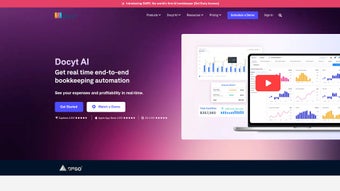

Download Docyt – AI‑Powered Accounting Automation Tool for QuickBooks, Small Business & Enterprise
Why AI‑Driven Accounting Automation Is a Game‑Changer for Modern Businesses
In today’s fast‑paced business environment, finance teams are under constant pressure to deliver accurate, real‑time insights while juggling an ever‑growing volume of transactions. Manual data entry, repetitive reconciliation tasks, and month‑end close bottlenecks not only drain valuable time but also increase the risk of errors that can affect compliance and strategic decision‑making. This is where artificial intelligence (AI) steps in as a transformative force. By teaching machines to read receipts, categorize expenses, and match invoices automatically, AI eliminates the tedious “busy work” that has long plagued accountants. The result is a more secure, faster, and scalable financial operation that frees professionals to focus on analysis, forecasting, and growth initiatives.
For businesses that already rely on leading accounting platforms such as QuickBooks, Xero, or NetSuite, the ideal solution is one that integrates seamlessly, adds a layer of intelligence, and does so without demanding a massive IT overhaul. That balance of deep integration, powerful automation, and cloud‑first accessibility is exactly what Docyt delivers. Whether you run a single‑store boutique, a multi‑location restaurant chain, or an enterprise‑level retail network, Docyt’s AI engine adapts to your chart of accounts, learns your coding preferences, and continuously refines its accuracy. Moreover, the platform is built on a secure, SOC‑2‑type II compliant cloud infrastructure, ensuring that sensitive financial data remains protected while still being instantly accessible from any modern device.
In the sections that follow, you’ll discover how Docyt’s core capabilities can reshape your bookkeeping workflow, the step‑by‑step process for getting up and running, a balanced look at its strengths and limitations, and answers to the most common questions prospective users ask. By the end of this review, you’ll have a clear picture of why downloading Docyt could be the next strategic move for your finance department.
Overview of Docyt – AI‑Powered Accounting Automation Platform
Docyt is a subscription‑based, AI‑driven accounting automation platform that sits on top of traditional accounting solutions such as QuickBooks, Xero, and Sage. Built for businesses that need to move beyond manual data entry, Docyt leverages machine‑learning algorithms to capture, categorize, and reconcile financial transactions in real time. The core promise of the software is to free accountants and finance teams from repetitive bookkeeping chores, allowing them to focus on strategic analysis and decision‑making. Whether you run a single‑location boutique, a multi‑site restaurant chain, or a sprawling retail operation, Docyt offers a modular suite that scales with your organization’s complexity. Its subscription model includes regular updates, a secure cloud environment, and access to an AI Research Lab that continuously refines the underlying models for better accuracy and compliance.
In practice, users report up to a 70 % reduction in time spent on month‑end close, faster expense approvals, and clearer visibility into cash flow. Docyt’s design also emphasizes data security, with end‑to‑end encryption, role‑based access controls, and audit logs that satisfy most industry regulations. By integrating directly with existing accounting platforms, Docyt becomes an invisible assistant that works in the background while you continue using the tools you already trust.
Key Features That Differentiate Docyt
- ExpenseFlow: Automated receipt capture, OCR processing, and expense categorization that syncs instantly with your ledger.
- RevFlow: Real‑time revenue reconciliation across multiple sales channels, eliminating duplicate entries and missed invoices.
- ClosingFlow: Streamlined month‑end and quarter‑end close processes, with AI‑suggested journal entries and variance analysis.
- InsightFlow: Interactive dashboards delivering KPI tracking, cash‑flow forecasts, and profitability metrics customized per industry.
- Multi‑Location Accounting: Consolidated reporting for businesses with several branches, with automatic currency conversion and inter‑company eliminations.
- Catch‑Up Bookkeeping: AI‑driven back‑fill of historical transactions, ideal for startups or businesses transitioning from manual ledgers.
- AI Research Lab Access: Early‑beta features, custom model training, and a feedback loop that lets your organization shape future AI capabilities.
- Secure Cloud Architecture: SOC 2‑type II compliance, data encryption at rest and in transit, and granular user permissions.
- Integration Hub: Native connectors for QuickBooks Online, QuickBooks Desktop, Xero, NetSuite, and popular POS systems.
- Continuous Updates: Monthly feature releases and security patches delivered without downtime.
Each module can operate independently or as part of a unified workflow. For example, an expense captured in ExpenseFlow can automatically trigger a revenue impact in InsightFlow, giving finance leaders a single source of truth. The AI engine learns from your historical data, improving categorization accuracy over time, and can even flag anomalous transactions for manual review. This level of automation not only reduces human error but also ensures compliance with tax regulations across jurisdictions. Companies in hospitality, retail, and professional services have praised Docyt’s ability to adapt to industry‑specific chart‑of‑accounts structures, making the onboarding process smoother than many generic accounting tools.
Installation, Setup, and Daily Usage Guide
Getting started with Docyt is intentionally simple, even for users with limited technical expertise. The platform is delivered as a SaaS solution, so there is no need to download large installers or manage local servers. To begin, visit the official Docyt website, select the subscription tier that matches your company size, and create an account using a corporate email address.
After confirming your email, you will be prompted to connect your existing accounting software. The integration wizard supports QuickBooks Online, QuickBooks Desktop (via a secure bridge), Xero, and NetSuite. You simply enter your API credentials, and Docyt validates the connection within minutes.
Once the integration is complete, the onboarding assistant walks you through key configuration steps:
- Chart‑of‑Accounts Mapping: Align Docyt’s default categories with your existing COA to ensure seamless journal entry creation.
- User Roles & Permissions: Define who can approve expenses, view dashboards, or edit financial settings.
- Bank & Credit Card Feeds: Link your banking institutions using secure OAuth flows, allowing Docyt to import transactions automatically.
- Expense Capture Setup: Install the Docyt mobile app on iOS or Android devices for on‑the‑go receipt scanning; alternatively, use the web uploader for bulk PDF imports.
- Revenue Channels Configuration: Connect point‑of‑sale systems, e‑commerce platforms, or subscription billing services to RevFlow.
After the initial setup, daily usage becomes a matter of reviewing AI‑generated suggestions. When a new receipt is uploaded, Docyt’s OCR extracts line items, proposes expense categories, and assigns cost centers. Finance staff can approve or adjust these entries with a single click.
InsightFlow dashboards refresh in real time, offering a live view of cash position, profit margins, and upcoming liabilities. For month‑end close, ClosingFlow presents a checklist of required tasks, automatically populates recurring journal entries, and highlights any variance that needs attention. All actions are logged, providing an audit trail for internal controls and external auditors.
Docyt runs in any modern web browser on Windows, macOS, Linux, iOS, and Android devices. The mobile app is available on the Apple App Store and Google Play Store, ensuring that field employees can capture expenses instantly, no matter the operating system.
The platform also offers scheduled email reports, so stakeholders receive key metrics without logging into the system. If you need to scale, additional modules can be activated on demand, and the AI Research Lab continuously pushes improvements that enhance OCR accuracy, categorization precision, and anomaly detection—all without any manual updates from your side.
Pros and Cons – A Balanced Look at Docyt
Pros
- Significant time savings on expense entry, revenue reconciliation, and month‑end close.
- AI engine improves accuracy over time and learns company‑specific coding rules.
- Seamless integration with major accounting platforms eliminates duplicate data entry.
- Scalable architecture supports single‑location businesses up to multi‑site enterprises.
- Robust security features, including encryption, SOC‑2 compliance, and granular access controls.
- Real‑time dashboards provide actionable insights for CFOs and owners.
- Regular feature updates and access to an AI Research Lab keep the product future‑proof.
- Mobile receipt capture works on both iOS and Android, keeping field teams productive.
- Comprehensive audit logs simplify compliance reporting.
- Free 14‑day trial lets you evaluate ROI before committing.
Cons
- Subscription pricing may be higher than basic bookkeeping tools for very small firms.
- Initial configuration requires a moderate learning curve, especially for complex COA mappings.
- Full feature set is only available on higher‑tier plans; lower tiers have limited AI automation.
- Reliance on internet connectivity; offline functionality is minimal.
- Some niche industry integrations (e.g., specialized construction software) are not yet supported.
- Advanced AI customizations may require assistance from the Docyt support team.
Frequently Asked Questions
Is Docyt compatible with QuickBooks Desktop?
Yes. Docyt connects to QuickBooks Desktop through a secure bridge application that runs locally on Windows. Once installed, the bridge syncs transactions in real time, allowing you to leverage Docyt’s AI features without migrating to QuickBooks Online.
Can I try Docyt before committing to a subscription?
Docyt offers a 14‑day free trial with full access to all modules. During the trial, you can connect your existing accounting system and evaluate how the AI automation improves your workflow.
How does Docyt ensure data security and compliance?
All data is encrypted in transit (TLS 1.3) and at rest (AES‑256). Docyt is SOC 2‑type II compliant, maintains detailed audit logs, and provides role‑based permissions to meet GDPR, CCPA, and industry‑specific regulatory requirements.
What devices can I use to capture receipts?
Docyt’s mobile app is available for both iOS and Android, so you can scan receipts on any smartphone or tablet. The web uploader also supports bulk PDF uploads from a desktop computer.
Do I need to install any software locally?
No. Docyt is a cloud‑native SaaS platform accessed through a web browser. The only optional local component is the QuickBooks Desktop bridge, which is required only if you use the desktop version of QuickBooks.
Conclusion – Secure Your Finance Operations with Docyt Today
After reviewing its capabilities, setup process, and real‑world benefits, it’s clear that Docyt stands out as a secure, intelligent, and highly adaptable accounting automation tool. The platform’s AI‑driven workflows shave hours off routine tasks, while its deep integrations keep your existing accounting data intact. For organizations that value speed, accuracy, and compliance, downloading Docyt is a strategic investment that pays for itself in reduced labor costs and faster financial insights.
Ready to experience the future of bookkeeping? Click the button below to start your free 14‑day trial, download the mobile app, and begin transforming your finance operations with AI today.



.png)



